More than a name.
Keep detailed profiles and photos, favourite things, shared interests, important dates and conversation notes together. Pick up where you left off.
Profiles · Interests · Contact logs
 Datoir
Private Dating Journal
Remember the details, reflect on your connections, and plan what comes next.
14-day trial for Windows · Version 1.1.3
14 days free. KES 599 once, and it’s yours.
No subscription. Explore your options.
Meet Datoir
Watch full size (opens in a new tab)Quiet instrumental music accompanies the story. It’s the little things: a favourite coffee, a great conversation, the next time you’ll see each other. Remember the details. The small things that make a connection yours. Make time for the next date: coffee, dinner, or a walk worth looking forward to. A little space. Just for you. Your journal, on your computer.
Datoir. Your dating life, thoughtfully organized. Try Datoir free for 14 days. KES 599 once, and it’s yours. Personal Datoir 1.x licence, for Windows. No subscription. datoir.pages.dev.
The journal and planner previews use made-up people and entries.
A little less to keep in your head
Download Datoir, choose a PIN or password, and start your own private journal.
Enjoy the full app free for 14 days from your first sign-in. No card needed.
KES 599 once buys your personal Datoir 1.x licence. Add your key and carry on where you left off.
A look inside
A peek at your day, your journal and your plans.
Shown with made-up people and memories.
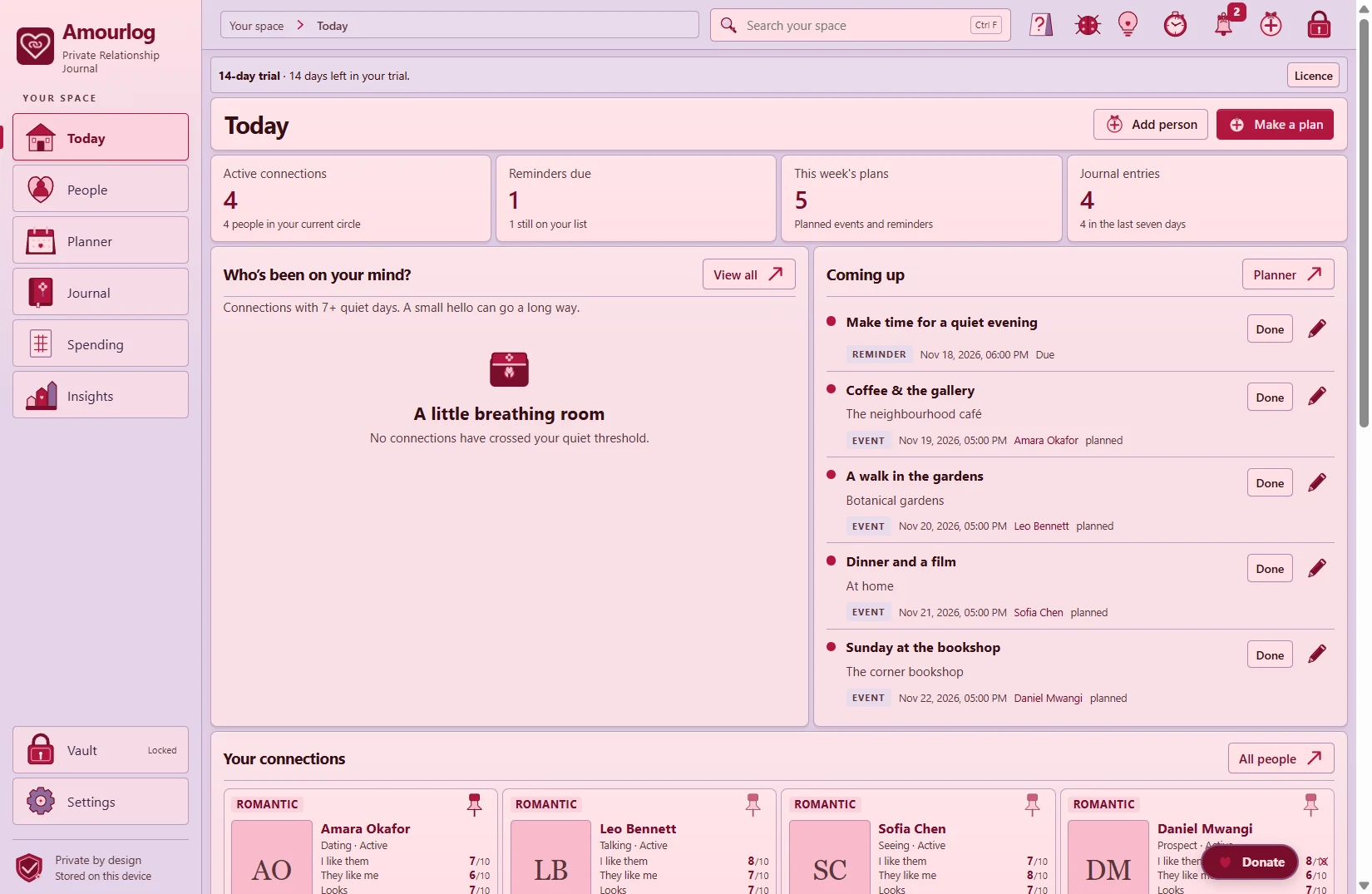
A calm overview of your connections, recent moments and what’s coming up.
View full size (opens in a new tab)Thoughtful by nature
Your dating life, thoughtfully organized.
Keep detailed profiles and photos, favourite things, shared interests, important dates and conversation notes together. Pick up where you left off.
Profiles · Interests · Contact logs
Give the next coffee, dinner or weekend walk a place in your week. Keep plans, favourite places and reminders together, then look back on the moments you’ve shared.
Date plans · Favourite places · Reminders
Write down how a date felt, remember a great conversation, and notice what matters to you. Personal ratings and simple insights help you reflect on your connections in your own way.
Journal · Personal ratings · Insights
Keep photos, videos and private notes alongside your memories. Built-in encryption, a private vault and easy backups help you look after your journal.
Encrypted media · Backups · Exports
Simple from the start
One payment. No subscription.
The same price whenever you’re ready.
Get to know Datoir
Remember the people, save the moments and plan the next date. Explore the full app at your own pace, with no payment details needed.
Try Datoir for WindowsYour 14 days begin when you first sign in.
Make Datoir part of your day
One payment, and it’s yours. Keep using Datoir with a personal Datoir 1.x licence and all its updates.
Buy DatoirNeed help with your purchase? You can request a refund within 14 days of purchase. Your consumer rights still apply. Refund details.
Taxes included. Pay in KES; your bank may charge for currency conversion.
Your purchase includes all Datoir 1.x updates. Future major versions, mobile apps and cloud services would be separate. Licence and purchase terms.
Still deciding? After your trial, buy Datoir to keep using the full app. You can always read your journal, export it, and use backups, recovery and security settings.
A space of your own.
Private, with perspective
Your memories belong with you. Datoir keeps your journal and saved photos encrypted on your computer, ready whenever you want to reflect. Enjoy it offline, without setting up an account.
Choose your own PIN or password, keep a backup, and decide what to save or share. Optional update checks are yours to turn on.
How Datoir looks after your privacyMade for this part of your life
| What matters to you | Datoir | General-purpose tools |
|---|---|---|
| Remembering connections | Profiles, linked journals and communication histories together. | Notes and spreadsheets let you design your own structure and links. |
| Making time | Plans with participants, global reminders and an app notification bell. | You may combine notes with a calendar or reminders app. |
| Looking back | Personal ratings, documented metrics and optional costs by person or place. | Spreadsheets offer flexible formulas; personal CRMs can suit other workflows. |
| Your preferred workflow | A dedicated local Windows journal for adults, with encrypted storage and backups. | Encryption, offline access and sharing depend on the tool and its settings. |
Choose a neutral cover when you want your screen to look more ordinary. Use temporary Stealth mode for a quick switch, or App disguise to open with your chosen cover each time.
Enter your PIN or password to return to your journal. See how covers and shortcuts work.
Your journal and saved media are encrypted on your computer. A PIN or password keeps access personal; encrypted backups and a saved journal recovery key help you prepare for a new computer or a forgotten password.
For tips on backups, shared files and looking after your device, visit privacy and backup help. Our privacy notice explains the details.
Datoir is your personal space for the people you’re getting to know. Keep notes, remember shared moments and make plans. It’s a journal for your dating life, rather than a place to meet matches.
Yes. Download Datoir for Windows and start your free trial. You don’t need an invitation, an account or a payment card.
No account needed. Use your journal offline whenever you like. Connect when you want to download an update, make a purchase or contact support. Automatic checks are off by default; you can turn on update alerts in Settings → Help or check for updates yourself.
Your trial runs for 14 days in a row from your first sign-in. Buy Datoir when you’re ready to keep using the full app. Until then, you can read and export everything you’ve saved, use encrypted backups and recovery, and manage security. Your journal stays with you, and you’re never charged automatically.
Your purchase includes all Datoir 1.x updates. Future major versions, mobile apps and cloud services would be separate. You can check for updates yourself or choose to receive update alerts while Datoir is open. Automatic checks are off by default. You decide when to download and install.
Need help with your purchase? You can request a refund within 14 days of purchase. Your consumer rights still apply. Just email [email protected] with your purchase reference. We aim to reply within five Kenyan business days. Read how refund requests work.
Yes. Save an encrypted backup and your licence key, install Datoir on your new Windows PC, and restore your journal. Add your licence key in Settings → About to carry on. If you need your purchase receipt again, use your saved purchase recovery code or ask us for help.
Uninstalling keeps your saved journal on your computer. We recommend making a backup first, especially if you’re moving to a new PC. Reinstalling continues your existing trial or licence. For help with website records, get in touch.
Our Windows installation guide walks you through setup and any Windows prompts. You’ll also find the current version, signing information and file-checking instructions there.
Your first 14 days are free, with no payment card needed. Love it? KES 599 once buys your personal Datoir 1.x licence, with no subscription or recurring charges. The same price applies whenever you decide to buy. Optional donations are a separate way to support development.
Windows is the current platform. There is no released macOS or mobile app.
Set up a journal recovery key in Security and save it somewhere private. If you forget your PIN or password, that saved key can help you get back in. For your privacy, support cannot open your journal without your password or an applicable journal recovery key. Your purchase recovery code is for your receipt, so keep the two separate.
Keep Datoir open and allow Windows notifications to receive reminders and a heads-up the day before a plan. Notifications stay quiet while you’re using a cover.
Adults aged 18 and over who want a thoughtful way to remember people, reflect on dates and make time for meaningful connections.
Official Windows download
Profiles, journals, plans and encrypted backups, together on your computer.
14-day trial for Windows · Version 1.1.3
Download 14-day trialNo card or online account needed to try.
Already enjoying Datoir? Make it yours with one payment. Add your key in Settings → About and carry on in the same app.
You’ll need a 64-bit Windows PC and space for Datoir, your journal and backups. Setup includes everything needed to run the app.
Connect to the internet to download or buy Datoir, and whenever you choose to check for updates. Day-to-day use works offline. We ask for your email for download records and support, keep it for up to 90 days, and don’t sign you up to a newsletter. Download privacy.
Read this version’s release notes · Installation help
Windows may show “Unknown publisher”. Review the official download and installation guidance before choosing whether to install.
A checksum checks file integrity; it does not establish a trusted publisher signature. Verify your download.